How to Fill Out the FAFSA for 2027-28 – Step-by-Step Guide
 Nvery & Tina Collins
In short
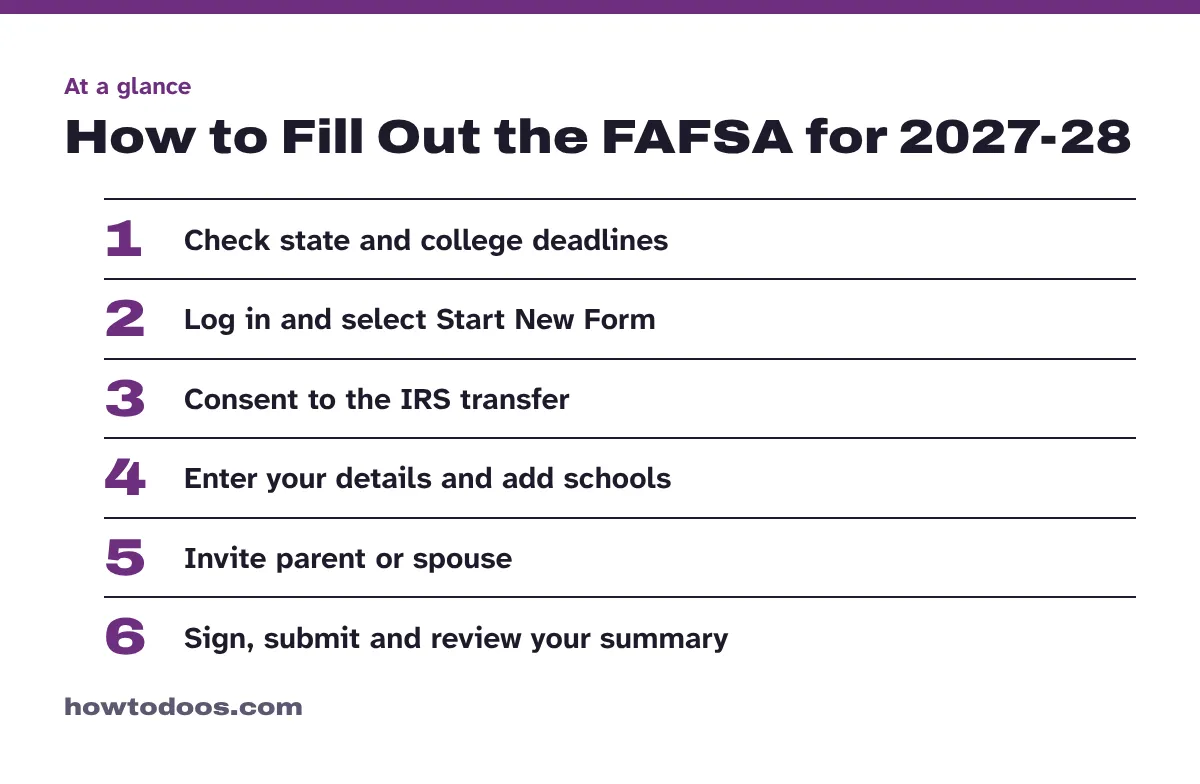
Log in at fafsa.gov, select Start New Form, consent to the IRS transfer, add up to 20 schools, invite any contributors, then sign and submit by June 30, 2028.
10 steps in this guide
To fill out the FAFSA, log in to your StudentAid.gov account, go to fafsa.gov and select Start New Form, then work through each section and sign. The 2027-28 form is available now and covers July 1, 2027, to June 30, 2028. Most students take 12 minutes or less, but gather your details first, because your state or college may have a much earlier deadline than the federal one.
This guide follows the online student form. Rules can change and every family’s situation differs, so check the official site for your situation.
What you need
The Federal Student Aid checklist lists these items:
- A StudentAid.gov account, which also acts as your digital signature
- Your parent’s or spouse’s contact information, if they must take part
- Your federal income tax return. The 2027-28 form asks for 2025 tax information, so don’t use another year
- Records of child support received
- Records of assets, such as cash, savings, investments, and business or farm net worth
- A list of the schools you’re considering
A parent needs their own account, tax return, and child support and asset records. A spouse needs an account and a tax return. Everyone uses their own login, because account credentials must not be shared.
Steps
Step 1: Check your deadlines
The federal deadline is June 30, 2028, but state and college dates can come far sooner. The official 2027-28 form warns that state or college aid deadlines may be as early as October 1, 2026.
Examples from that form include January 15, 2027, for priority consideration in Texas, and March 2, 2027 (date postmarked), in California. Look up your own state in the form, then ask each college’s financial aid office for its date.
Step 2: Start the form
Go to fafsa.gov and select Start New Form. If you aren’t logged in, you’ll land on the Log In page. Then:
- Select the 2027-28 school year.
- When asked who is starting the form, select Student.
- Select Start FAFSA Form.
Step 3: Confirm your identity and state
On the Student Identity Information page, check your name, date of birth, Social Security number, email, phone number and mailing address. Changes go through your account settings.
Next, select your state of residence and the month and year you became a resident.
Step 4: Give consent for the IRS transfer
You must approve the transfer of your federal tax information to the form. This applies even if you didn’t file taxes. If you, or a parent or spouse who must take part, don’t give consent and approval, you won’t be eligible for federal student aid.
Step 5: Answer the background questions
The form asks about your personal circumstances, then shows your dependency status. Dependency isn’t based on whether you live with your parents or whether they claim you on taxes, so answer exactly what each question asks.
You’ll also answer demographic, citizenship and high school completion questions.
Step 6: Enter your financial information
Enter your own information only, since parents and spouses complete their own sections. If an answer is zero, enter 0 instead of leaving it blank.
Most tax data comes across through your consent, but you may need your tax records for extra questions. If you can’t find yours, the IRS Get Transcript page is the official place to request a copy.
Step 7: Add your schools
Add at least one school and up to 20. Search by name or school code, or use the Search by Location tab. The order doesn’t matter for federal aid, but some states require a specific order, so check your state’s rule before you finish.
Step 8: Invite your contributors
A contributor is anyone required to provide information on your form, such as you, your spouse, your biological or adoptive parent, or your parent’s spouse. Dependent students must invite a legal parent, and the Who’s My FAFSA Parent? tool helps you work out which one.
Enter the person’s email address and select Send Invite. You’ll also see an invite link, a code and a QR code that you can share. Invitations can reach a contributor by email or text. They can also log in, select FAFSA Form in the main menu, then Accept an Invitation.
Step 9: Review, sign and submit
On the review page, select Expand All and check your answers. To change one, select the hyperlinked question. Then check the terms box, select Sign, and select Submit FAFSA Form.
If you’re a dependent student, the form can’t be submitted until your parent finishes their section and signs. Follow up with them so the form doesn’t sit unfinished.
Step 10: Review your FAFSA Submission Summary
Most forms are processed immediately, though some take one to three days. You’ll then get a FAFSA Submission Summary with your estimated eligibility, your Student Aid Index (SAI), your answers, your schools and your next steps. It is not a financial aid offer. Your offer comes from each school.
Tips
- File early. State and college deadlines can fall long before the federal date, and you can add or remove schools later through a correction.
- Keep your login private. Your account is your digital signature, so never use it to sign for a parent, or let them sign for you.
- Tell your school about hardship. If your family’s money situation has changed since 2025, submit the form as normal, then ask your school about an aid adjustment.
- Reapply each year. The form covers one school year only, so you’ll file again for the next one.
Troubleshooting
You can’t submit without your parent. If you have unusual circumstances, you can submit without parent information, then you must contact your college.
Your parent refuses to take part. You can answer “Yes” to the question about parents refusing to provide information. However, you won’t be eligible for a Federal Pell Grant or most other federal aid, and may qualify for only a Direct Unsubsidized Loan.
You see “Identity Verification Needed.” A few students get this window on the Review and Sign page as part of a real-time fraud check. Follow the instructions shown.
You made a mistake. Once the form is processed, log in and select the form from your account Dashboard to correct it. A parent or spouse must fix their own section using their own account.
FAQ
When is the 2027-28 FAFSA deadline?
The federal deadline is June 30, 2028. State and college deadlines are often earlier, so treat those as your real deadline.
Which tax year does the 2027-28 FAFSA use?
It uses 2025 tax information. Don’t enter figures from another year.
How many colleges can I list on the FAFSA?
You can list up to 20 schools online. The paper form has space for 10.
What is a good Student Aid Index?
There’s no passing score. It’s an eligibility index, not a grade. The SAI can range from –1500 to 99999, and your school uses it when working out your aid.
How do I check my FAFSA status?
Log in at StudentAid.gov or call 1-800-433-3243.
Conclusion
Check your state and college deadlines first, gather your documents, then start the form at fafsa.gov. Send contributor invites early, because a dependent student’s form can’t go through until a parent signs. Once it’s in, review your summary and watch for each school’s offer. While you wait, these tips on how to study effectively can help you keep your grades strong.